


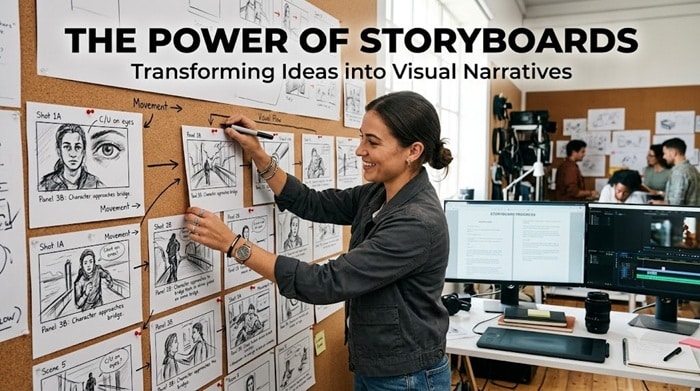
Storyboards are powerful tools that help turn abstract ideas into clear, visual narratives, making communication easier and more impactful across a range of industries. By mapping concepts step by step, they provide an essential guide for teams looking to organize their thoughts and deliver messages effectively. For those seeking to streamline their creative process, exploring tools like FLORA’s storyboard AI can help bring structure and clarity to any project. The process of storyboarding not only bolsters creativity but also bridges communication gaps between different contributors. Whether in classrooms, boardrooms, or creative studios, storyboards allow teams to visualize steps in a workflow or narrative, ensuring alignment on goals and understanding. This article explores the benefits and applications of storyboards through actionable tips and real-world examples. Understanding their versatility can empower educators, business owners, filmmakers, and developers alike to make the most out of every idea. Visual representation makes intangible concepts tangible and easier to critique early, reducing time and resource waste in production or implementation. In fact, incorporating storyboarding into your workflow often leads to more successful outcomes, regardless of the field.
What Are Storyboards?
A storyboard is a series of sketches, digital images, or illustrations that display the progression of a story, process, or presentation. It is typically organized into sequential panels, each representing a key moment or idea. While the origins of storyboarding can be traced back to the film industry, it is now widely used to conceptualize, plan, and communicate in fields as varied as education and software development. Whether for a short instructional video or a major advertising campaign, storyboards provide a reliable blueprint that guides production from start to finish.
Benefits of Using Storyboards
The advantages of storyboarding extend beyond just organization. Breaking complex information into smaller, manageable parts improves clarity. With a focused narrative or workflow, teams can spot gaps in logic, enhance visual engagement, and keep their messaging concise. Storyboards also foster collaboration by offering a shared vision among stakeholders and contributing to a more efficient use of time and resources. Research indicates that visual learning aids like storyboards significantly enhance retention and understanding, making them an invaluable tool for anyone seeking effective communication.
Applications in Different Fields
As more industries appreciate the role of visualization in project management and creative exploration, storyboards have gained popularity in many domains:
- Education: Students and teachers use storyboards to plan research projects, present lessons, and outline creative assignments. The visual breakdown eases comprehension and supports diverse learning styles, leading to improved outcomes.
- Business: Marketers, strategists, and executives deploy storyboards for presentations, campaign plans, business pitches, and workflow mapping. The result is a clearer roadmap for initiatives and easier stakeholder buy-in.
- Film and Media: In filmmaking, animation, and content production, storyboards help directors and artists pre-visualize shots, transitions, and scene structures. This reduces rework during actual filming or animation.
- Software Development: Designers and product teams use storyboards to plan user journeys, map interface elements, and anticipate user interactions, ensuring intuitive experiences in websites and applications.
Steps to Create an Effective Storyboard
The process to develop a strong storyboard is straightforward but requires focus and clarity at every stage:
- Define Objectives: Start by clearly stating the purpose of your storyboard. Identify the end goal and the audience.
- Identify Key Scenes or Steps: Divide the subject matter into logical steps or scenes, ensuring you capture the critical components of the narrative or process.
- Sketch the Panels: Lay out each step or scene as a simple sketched image, graph, or diagram. The art can be simple, as clarity is more important than artistry at this stage.
- Add Descriptions: Provide context, such as voiceover text, dialogue, or actions. These notes guide others who later interpret the storyboard.
- Review and Revise: Examine your storyboard critically, asking if the sequence makes sense and if anything is unclear or missing. Revise as needed before bringing others on board for feedback.
Common Mistakes to Avoid
Even experienced storyboard creators fall into some common traps. Here are a few pitfalls to avoid:
- Overcomplicating Designs: Simple visuals are more effective for conveying ideas. Overly detailed or artistic panels can distract from the main message.
- Neglecting Audience Perspective: Forgetting to consider viewer knowledge, experience, and expectations can result in a confusing or irrelevant storyboard.
- Skipping Revisions: Failing to review and refine the storyboard limits its effectiveness. Everyone benefits from a round or two of feedback and refinement.
Tools and Resources for Storyboarding
There are many digital and traditional resources available for storyboarding:
- Storyboard That: An intuitive online platform with templates for various industries and education levels.
- Canva: A flexible design tool that supports the creation of storyboards with customizable grids and assets.
- Adobe Express: A user-friendly way to create visually appealing storyboards even for those without a graphic design background.
Real-Life Examples of Successful Storyboarding
- Pixar Films: Pixar is renowned for its use of detailed storyboards to shape every scene before any animation is produced. This approach results in more coherent storytelling and fewer production errors. For instance, the creation of the iconic “Falling with Style” scene from *Toy Story* showcases how early sketches closely mirrored the final cut, highlighting the importance of storyboarding in the animation process.
- Advertising Campaigns: Brands like Apple and Nike storyboard television and digital ads to refine messaging, improve visuals, and eliminate confusion long before filming begins. Their imaginative commercials are a testament to the value of pre-visualization.
Conclusion
Storyboards deliver value far beyond their simple appearance. With the right approach, these tools become a foundation for creativity, efficiency, and collaboration. Incorporating storyboarding into planning and production workflows ensures ideas are clear, engaging, and well executed, making projects more successful in any field. Whether used for film, marketing, education, design, or business presentations, storyboards help teams visualize concepts, identify challenges early, and create a shared understanding of the outcome. They allow creators to organize complex ideas into manageable steps while improving communication between everyone involved. By mapping out key details before production begins, teams can save time, reduce errors, and make more informed creative decisions. As projects become increasingly visual and collaborative, storyboarding remains an essential tool for transforming ideas into impactful experiences.
